


When a KUKA robot suddenly loses mastering, fails during startup, or displays KSS15016, the issue is usually related to resolver synchronization instability or RDC communication degradation rather than a simple software fault.
In KRC4 systems, KSS15016 means the controller can no longer reliably synchronize resolver feedback signals with RDC (Robot Data Collector) position data.
Typical real-world symptoms include:
In production environments, KSS15016 is most commonly related to:
If ignored, synchronization instability often becomes progressively worse until the robot can no longer initialize or maintain reliable axis referencing.
If the robot suddenly loses axis synchronization or fails during startup, try this first:
Always disconnect main power before handling RDC or resolver wiring.
👉 If the error disappears temporarily after reboot but returns during motion or mastering, it usually indicates intermittent resolver communication degradation.
KUKA KSS15016 indicates a communication failure between the RDC (Robot Data Collector) system and resolver/feedback synchronization circuit.
In KUKA KRC4 architecture:
When KSS15016 is triggered:
As a result:
👉 In short: the controller loses reliable synchronization between resolver feedback and RDC position data.
KSS15016 can be caused by either resolver-side instability or RDC communication degradation.
However, in real industrial environments, the most common causes are:
Actual RDC hardware failure is less common than signal degradation problems.
This is why experienced KUKA engineers usually inspect cabling, shielding, and grounding before replacing the RDC module itself.
Unlike permanent resolver failure, KSS15016 often begins as an intermittent synchronization problem.
The robot may operate normally for long periods before suddenly losing synchronization during:
This usually happens because:
This is why many engineers initially misdiagnose KSS15016 as a random startup issue even though the root cause is often physical signal degradation.
Mastering depends on stable synchronization between resolver position data and RDC reference information.
When KSS15016 occurs:
👉 This is why affected axes often become “Not Referenced” after KSS15016 appears.
In many cases, re-mastering is required after the root cause is repaired.
Yes.
Resolver cable degradation is one of the most common causes of KSS15016 in KRC4 robots.
Typical cable-related conditions include:
Because resolver signals are highly sensitive to electrical noise, even partial cable degradation can trigger synchronization faults intermittently.
👉 Resolver cable problems are statistically far more common than complete RDC failure.
👉 One of the most common real-world causes.
👉 Common in older KRC4 systems with long operational hours.
👉 Resolver synchronization is highly sensitive to signal noise.
👉 Usually causes persistent axis-specific synchronization failure.
👉 Synchronization failure can occur immediately during startup.
KSS15016 is more common in:
Factories with welding, high-power servo systems, or long cable routing paths are especially prone to resolver synchronization problems.
A KRC4 welding robot repeatedly lost mastering and triggered KSS15016 during high-speed motion cycles.
Initial troubleshooting focused on re-mastering the robot and replacing the RDC module, but the synchronization fault continued intermittently.
The actual root cause was later identified as degraded resolver cable shielding combined with unstable cabinet grounding near welding equipment.
After replacing the resolver cable and improving grounding quality, the robot operated normally without further synchronization faults.
👉 This is why resolver cabling and grounding should always be inspected before replacing RDC hardware.
| Component | Recommended Replacement Trigger | Diagnostic Condition | Engineering Notes |
| Resolver / Encoder Cable Assembly | Primary replacement item in intermittent synchronization faults | - Intermittent axis desync - Signal recovery after restart - Fault appears under vibration or motion |
Most common root cause; check shielding integrity, connector seating, and grounding continuity |
| RDC Module (Robot Data Collector) | Required if communication instability persists across multiple axes | - Multi-axis feedback synchronization failure - Resolver values fluctuate across channels - System-wide position inconsistency |
Indicates upstream feedback aggregation or signal processing failure at RDC level |
| Servo Motor Resolver Unit | Necessary when resolver signal quality remains unstable | - Persistent resolver signal degradation on single axis - Position drift despite cable replacement - Calibration cannot stabilize feedback |
Internal resolver degradation or magnetic field distortion within motor assembly |
| KUKA KSP Servo Drive Module | Replace if feedback synchronization processing becomes unreliable | - Delayed or inconsistent feedback processing - Multi-axis small synchronization lag - Random desync warnings across system |
Suggests internal feedback decoding or synchronization timing instability in drive control loop |
| Check Item | Why It Matters |
| Resolver type and feedback specification | Mismatch causes persistent desynchronization or scaling errors |
| RDC module version | Different revisions handle signal aggregation differently |
| Mastering data compatibility | Incorrect mastering amplifies perceived sync errors |
| KSS and KSP firmware versions | Affects feedback timing and synchronization algorithm |
KSS15016 is often treated as a simple communication alarm, but experienced engineers recognize it as a resolver synchronization integrity problem.
Go to:
SmartHMI → Diagnostics → RDC / Resolver Monitoring
Check:
👉 Key diagnostic logic:
👉 In real factory environments, the most common causes are:
To permanently resolve the issue:
👉 In most real cases, the final fix is:
resolver cable replacement or RDC communication repair
In real industrial maintenance environments, engineers usually inspect or replace components in this order:
👉 Resolver cable degradation is statistically the most common field failure behind intermittent KSS15016 alarms.
KSS15016 often returns because the underlying synchronization instability was never fully corrected.
The most common recurring causes include:
In real factory environments, intermittent synchronization faults usually become progressively worse over time.
⚠️ Technical Note: Following errors are commonly associated with RDC communication instability, resolver feedback degradation, or mastering/synchronization loss:
Because resolver synchronization becomes unreliable, the controller can no longer trust axis reference position data and invalidates mastering for safety.
Yes.
Resolver cable degradation is one of the most common causes of RDC synchronization faults in KRC4 robots.
Long-term vibration and cable fatigue can destabilize resolver signals and RDC communication timing.
This usually indicates a local resolver cable or motor-side feedback problem rather than a full RDC failure.
This usually indicates intermittent resolver signal degradation caused by:
Not always.
If only one axis is affected, re-mastering that axis is usually sufficient after repair.
However, full system re-mastering may be required if RDC synchronization instability affects multiple axes.
Explore the Full Guide: Industrial Robot Fault Codes Library → KUKA Error Codes
Explore the complete guide for troubleshooting, repair strategies, and component replacement across industrial robot systems.
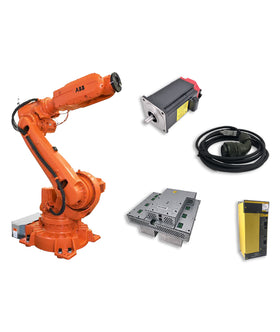
Key components commonly involved in kuka error troubleshooting issues and replacements.


{"one"=>"Select 2 or 3 items to compare", "other"=>"{{ count }} of 3 items selected"}
Leave a comment on this topic