



An ABB teach pendant LCD failure refers to a display system malfunction where the screen cannot properly show visual information, even though the pendant may still be powered or partially responsive.
This condition is not always a complete screen failure. In real field diagnostics, LCD issues often fall into three categories:
Understanding this distinction is critical for reducing unnecessary replacement costs and downtime.
ABB uses different display architectures depending on controller generation:
These systems use different display interface standards and LCD modules.
Always verify the exact DSQC part number before ordering replacement LCD components to avoid compatibility issues.

What you observe:
Likely causes:
Quick check: flashlight test (see diagnostic section)
What you observe:
Root cause:
✔ In this case, full LCD module replacement is required.
What you observe:
Likely causes:
What you observe:
Root cause:
What you observe:
Likely causes:
Use a flashlight and inspect the screen at an angle:
This is the fastest way to separate major failure types.
Gently move the pendant cable while observing the screen:
Cable failure is one of the most common root causes in ABB systems.
If safe to access:
If available:
| Result | Interpretation |
| New pendant works | Original pendant faulty |
| Same issue persists | Controller-side problem |
If multiple pendants show the same issue:
In real industrial environments:
Over 60% of “LCD failures” are not actual panel damage
but cable, connector, or signal instability issues
This is why premature LCD replacement often leads to unnecessary cost.
Not all display issues originate from the LCD itself.
In high-temperature environments (e.g. welding cells, foundries):
In some cases, cooling or rebooting restores normal display behavior.
May cause:
Before replacing an ABB LCD module:
Perform flashlight test
Perform cable movement test
Verify DSQC compatibility
Rule out controller-side faults
Skipping these steps often results in:
| Condition | Recommended Action |
| Cracked screen | Replace LCD module |
| Flickering display | Check cable first |
| No image but backlight present | Check signal/LVDS |
| System-wide issue | Inspect controller |
This issue is often confused with:
Full diagnostic structure available in: Teach Pendant Failure Hub
No. In many cases, it is not a pure LCD panel failure.
For ABB teach pendants, similar symptoms can also be caused by:
Physical LCD damage is only one possible root cause.
The flashlight test is the fastest way to distinguish them.
It depends on the model.
For ABB IRC5 / OmniCore systems:
Always verify the DSQC part number before ordering components.
This usually indicates:
In most cases, the LCD panel itself is not the problem.
Replacement is recommended when:
If symptoms are intermittent, always check cable and signal first.
Explore the Full Guide: Industrial Robot Teach Pendant Center → ABB Teach Pendant LCD Failure
Explore the complete guide for troubleshooting, repair strategies, and component replacement across industrial robot systems.
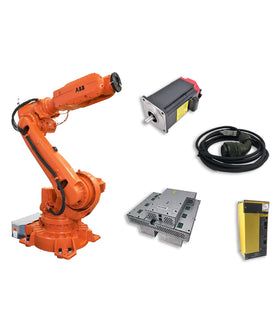
Key components commonly involved in abb teach pendant lcd failure issues and replacements.


{"one"=>"Wählen Sie 2 oder 3 Artikel zum Vergleichen aus", "other"=>"{{ count }} von 3 Elementen ausgewählt"}
Wählen Sie das erste zu vergleichende Element aus
Wählen Sie das zweite zu vergleichende Element aus
Wählen Sie das dritte Element zum Vergleichen aus
Einen Kommentar hinterlassen