




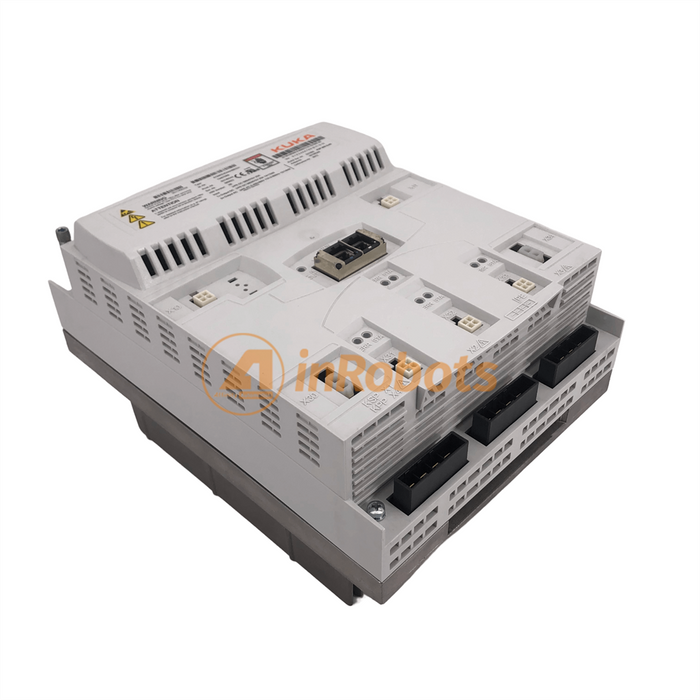
When it comes to industrial automation, the KUKA C4 drive is a critical component that ensures the smooth operation of robotic systems. The KUKA C4 controller uses two types of drive units: KPP (KUKA Power Pack) and KSP (KUKA Servo Pack). These components are essential for motor control and power supply in industrial robotic systems. Like all electronic equipment, they can develop faults over time.
Some of the most frequently reported issues with KPP and KSP modules include:
Error messages or fault codes
No display or power-on failure
Phase loss
Overcurrent or overload conditions
Overvoltage or undervoltage
Overheating
Grounding issues
Output signal loss
Encoder errors
Parameter misconfigurations
Module damage
 |
 |
Here are some specific KUKA C4 drive faults and how to address them:
Cause: Excessive average current due to high load on the axis.
Solution: Reduce load or check mechanical resistance on the axis.
Cause: Overcurrent due to grounding in the power circuit.
Solution:
Check motor cables for shorts or damage.
Inspect the motor and connections.
Power cycle the drive (Power Off / Power On).
Inspect both the KSP and KPP units.
Cause: Short circuits or sudden current spikes beyond the KPP’s limit.
Solution:
Review current logs.
Check the motor and cable connections.
Power cycle the system.
Inspect KPP and KSP for physical damage.
Cause: Overvoltage during robot operation, often during braking.
Solution:
Check input power voltage.
Inspect braking resistor or chopper.
Reduce braking load.
Reboot the drive units.
Cause: Power supply drops during motion.
Solution:
Check power voltage stability.
Inspect wiring to the intermediate circuit.
Reboot and test charging circuits.
 |
 |
Cause: Logic power supply exceeds 27V.
Solution:
Check and adjust the 27V power supply.
Power cycle the controller.
Inspect KSP and KPP logic boards.
Cause: 27V power supply drops below safe level.
Solution:
Test power supply and backup battery.
Reinitialize the drive units.
Cause: One or more motor phases are not detected.
Solution:
Check motor cables and motor windings.
Restart the system and test connections.
Cause: Bus communication failure on the controller.
Power cycle the system.
Inspect EtherCAT wiring and stack.
Check the CCU, KPP, and KSP components.
Always record error codes and LED statuses before rebooting.
Use ESD-safe tools and observe safety protocols.
Replace damaged cables or modules with certified KUKA parts.
Regular preventive maintenance reduces long-term faults.
Maintaining your KUKA C4 drive system—especially the KPP and KSP units—requires knowing how to interpret error codes and methodically troubleshoot faults. By following this guide, you can reduce downtime, avoid expensive repairs, and ensure the long-term performance of your robot.
 |
 |
Explore the Full Guide: Industrial Robot Knowledge Hub → Repair & Troubleshooting Cluster
Explore the complete guide for troubleshooting, repair strategies, and component replacement across industrial robot systems.
Key components commonly involved in repair guides issues and replacements.


{"one"=>"Selecione 2 ou 3 itens para comparar", "other"=>"{{ count }} de 3 itens selecionados"}
Selecione o primeiro item para comparar
Selecione o segundo item para comparar
Selecione o terceiro item para comparar
Deixe um comentário